
A name over the limit
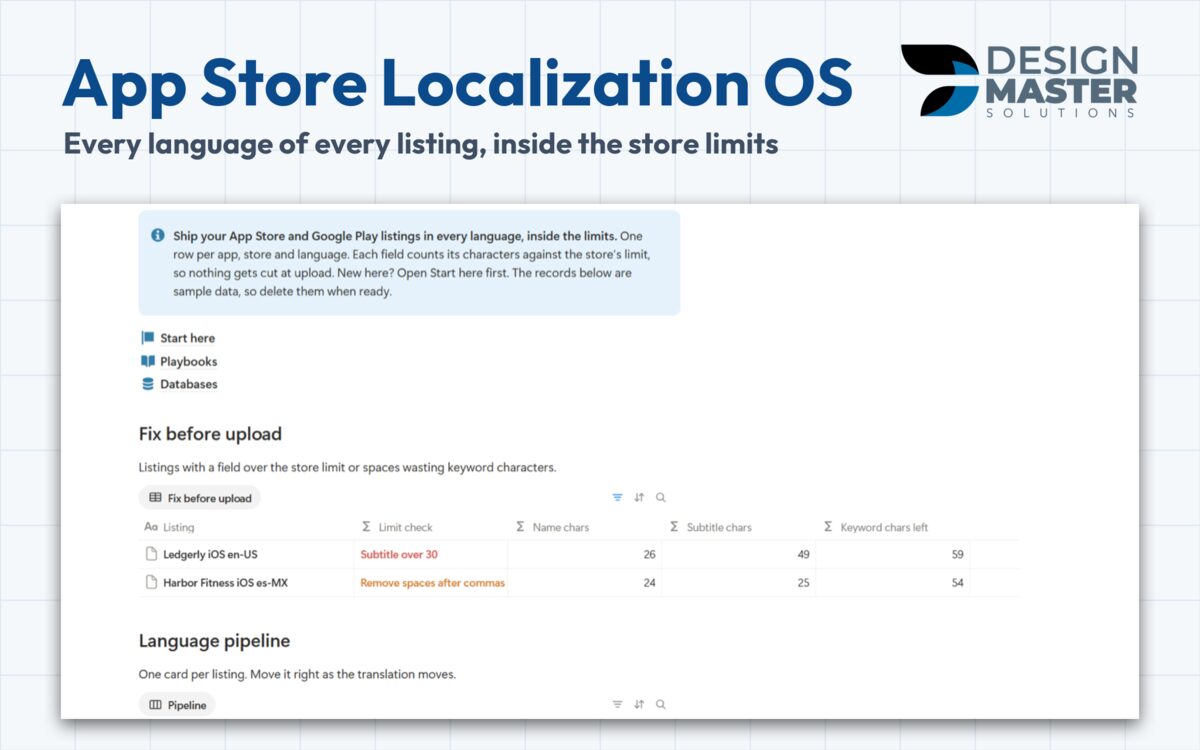
Limit check compares each row with the store's limits: name 30, subtitle 30 or Google Play short description 80, keywords 100, promotional text 170.
Notion template, one-time payment
One row per app, store and language, checked against the official character limits before you upload. It comes from the listings we keep in English, Portuguese and Spanish.
DMS.S2 — What's included
Limit check compares each row with the store's limits: name 30, subtitle 30 or Google Play short description 80, keywords 100, promotional text 170.
A space after a comma costs a character in the App Store keyword field. The check warns you before upload.
Each listing has a status from To translate to Needs update, the date it last changed, who translated it and whether the screenshots are localized.
Keywords are tracked per listing, so each language shows its rank and the movement since the last check.
DMS.S3 — Templates
Every free sample is a real, duplicable part of the template. Refund within 14 days.
$29 one time
Every language of every App Store and Google Play listing, inside the store limits.
DMS.S4 — Questions
The Listings tracker with the limit check and the Character limits by store playbook, both duplicable today.
No. You or your translator write the text, and you type the rank from the tool you already use. The template checks the limits and keeps every language in one place.
Payment runs in our client portal. Right after it clears, you receive an e-mail with the link to duplicate the template into your own Notion workspace.
No. Every template is built to work on the free Notion plan.
No. It is a one-time payment per template, and you keep the copy in your workspace.
Ask for a refund within 14 days of purchase through the client portal.
DMS.S5 — Start a project
Tell us how your team works today. If the same tracker would help other teams, we may build it.