
A release stuck in review
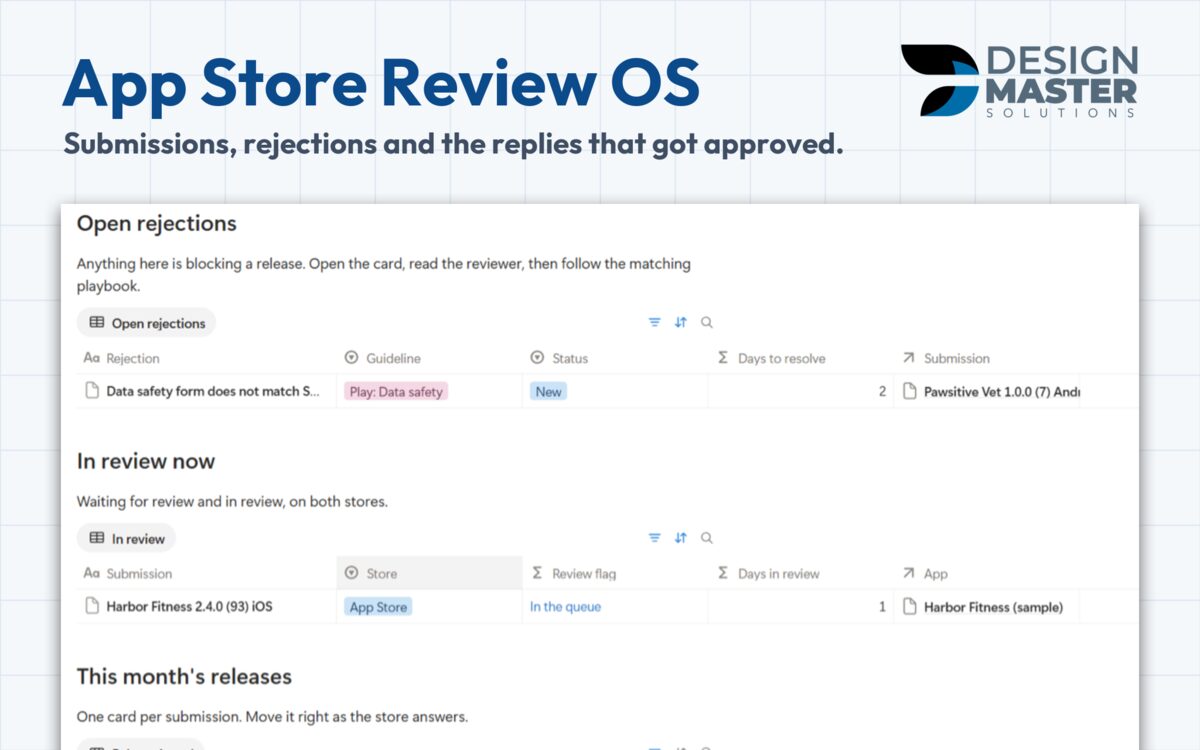
Days in review counts on its own and the Review flag shows which submission needs a look, on the App Store and on Google Play.
Notion template, one-time payment
Log each iOS and Android submission, see how many days it has been in review and keep the reply that got each rejection approved. It comes from the app releases we ship every week.
DMS.S2 — What's included
Days in review counts on its own and the Review flag shows which submission needs a look, on the App Store and on Google Play.
Each one is logged by guideline with what the reviewer said, what you changed and the reply that worked, ready for the next app.
The home page opens on open rejections, then what is in review now, then this month's releases.
Five playbooks: before you submit on each store, the day a rejection arrives, reply, resubmit or appeal, and the most common rejections with the usual fix.
DMS.S3 — Templates
Every free sample is a real, duplicable part of the template. Refund within 14 days.
$29 one time
Ship iOS and Android releases without losing a week to review.
DMS.S4 — Questions
The Rejections log and the playbook of the most common rejections with the usual fix, both duplicable today.
No. You log submissions and rejections by hand, so there are no API keys to share.
Payment runs in our client portal. Right after it clears, you receive an e-mail with the link to duplicate the template into your own Notion workspace.
No. Every template is built to work on the free Notion plan.
No. It is a one-time payment per template, and you keep the copy in your workspace.
Ask for a refund within 14 days of purchase through the client portal.
DMS.S5 — Start a project
Tell us how your team works today. If the same tracker would help other teams, we may build it.