
Credits that expire unused
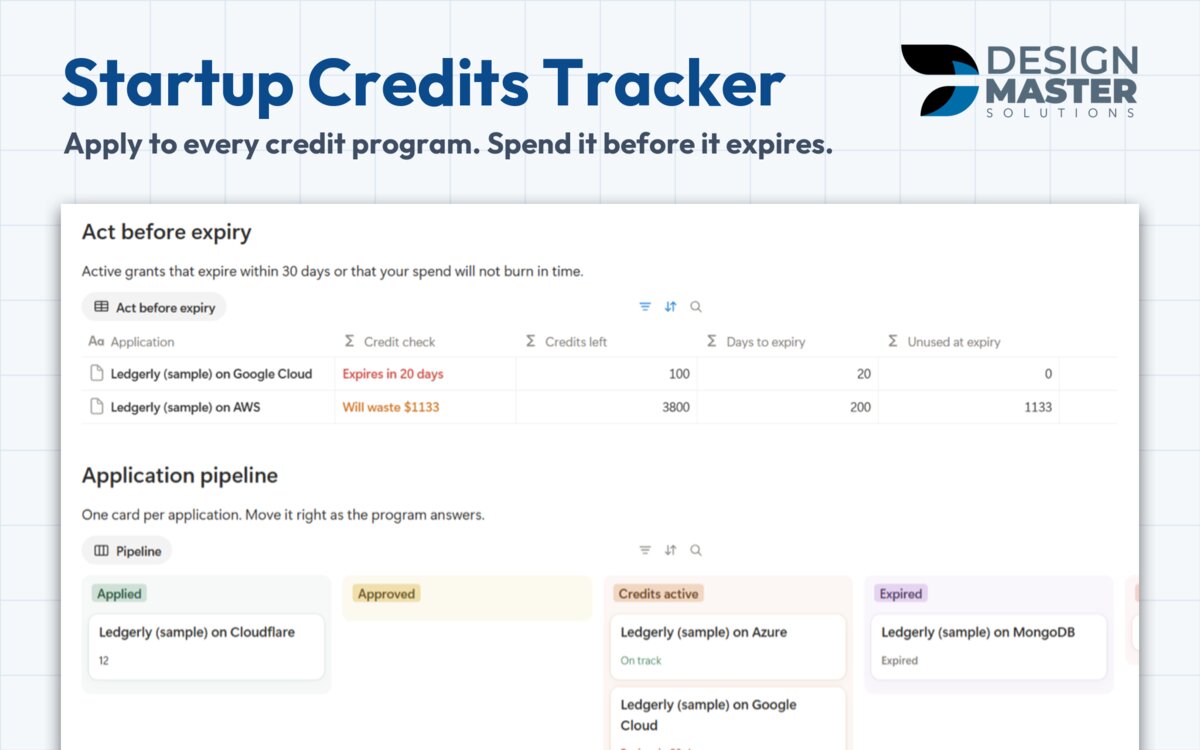
Unused at expiry compares the credits left with your monthly spend and the days to the expiry date. Credit check shows Will waste $X before it happens.
Notion template, one-time payment
One row per credit program you applied to, with the days left and how much your monthly spend would leave unused at expiry. It comes from the programs we apply to for our own apps.
DMS.S2 — What's included
Unused at expiry compares the credits left with your monthly spend and the days to the expiry date. Credit check shows Will waste $X before it happens.
Each active grant counts the days to expiry and turns red in the last 30 days, so you plan where the bill goes next.
A pipeline from Researching to Credits active, with the days waiting for each answer and notes on every rejection.
Eight programs link to their official page instead of quoting amounts, because amounts and eligibility change. Add any other program in one row.
DMS.S3 — Templates
Every free sample is a real, duplicable part of the template. Refund within 14 days.
$15 one time
Every startup credit program you applied to, and what would expire unused.
DMS.S4 — Questions
The Applications table with the credit check and the Before you apply checklist, both duplicable today.
No. You copy Credits used from each billing console once a month. The template keeps the dates, the math and every application in one place.
Payment runs in our client portal. Right after it clears, you receive an e-mail with the link to duplicate the template into your own Notion workspace.
No. Every template is built to work on the free Notion plan.
No. It is a one-time payment per template, and you keep the copy in your workspace.
Ask for a refund within 14 days of purchase through the client portal.
DMS.S5 — Start a project
Tell us how your team works today. If the same tracker would help other teams, we may build it.