
A notice nobody read
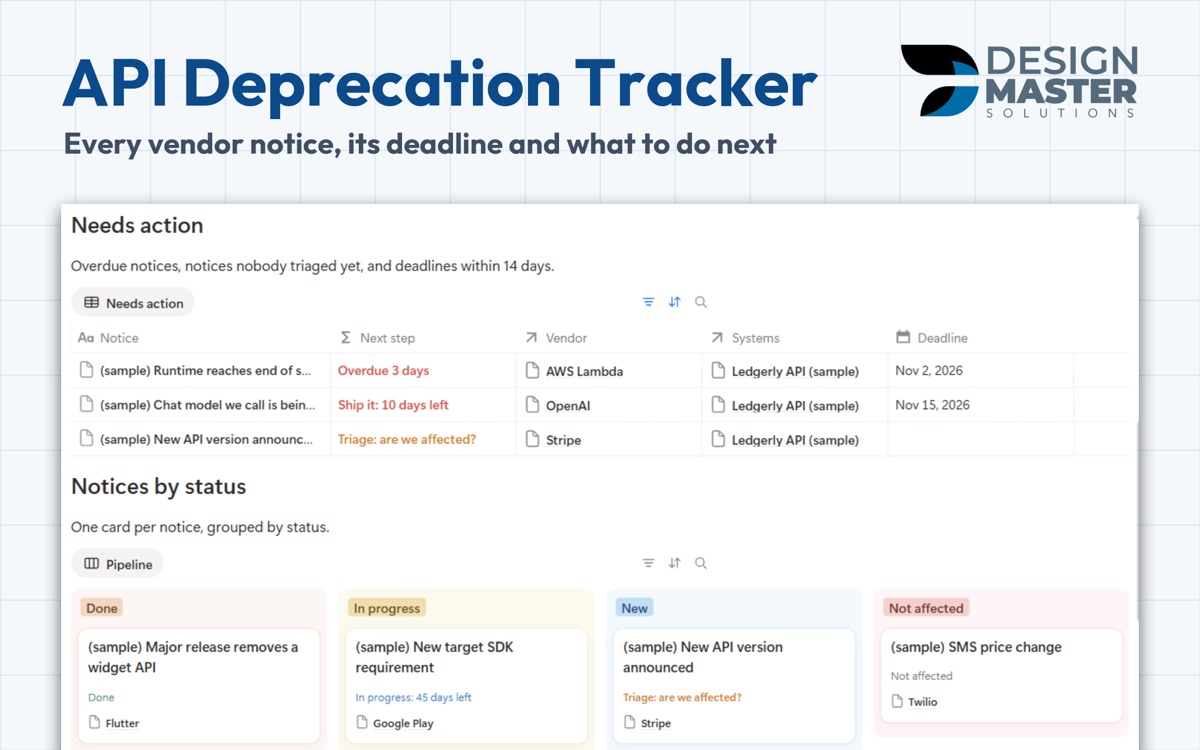
AI models, API versions, runtimes and store rules all get retired. Each notice gets a row with the deadline and the source link, and Triage, are we affected? until someone answers.
Notion template, one-time payment
One row per notice from the vendors you depend on, with the date, the systems it touches, the owner and the next step. It comes from the way we keep our own apps and client systems running through vendor changes.
DMS.S2 — What's included
AI models, API versions, runtimes and store rules all get retired. Each notice gets a row with the deadline and the source link, and Triage, are we affected? until someone answers.
Next step counts down: Schedule the work, then Ship it with the days left, then Overdue. Work with no date asks for one.
Each app, API or site you run shows its open notices and its nearest deadline, so you see the exposure of a system before you touch it.
Thirteen official vendor change pages are already linked, from OpenAI and Apple to Stripe and AWS Lambda, and the Monthly sweep playbook says which ones are due for a look.
DMS.S3 — Templates
Every free sample is a real, duplicable part of the template. Refund within 14 days.
$29 one time
Every vendor notice, its deadline and what to do next.
DMS.S4 — Questions
The Notices table with the next step of each notice and the Triage a notice checklist, both duplicable today.
No. Nothing connects to your accounts and no keys are stored. You paste what you receive, and the reminder tells you which change pages are due for a look. The template does the dates and next steps.
Payment runs in our client portal. Right after it clears, you receive an e-mail with the link to duplicate the template into your own Notion workspace.
No. Every template is built to work on the free Notion plan.
No. It is a one-time payment per template, and you keep the copy in your workspace.
Ask for a refund within 14 days of purchase through the client portal.
DMS.S5 — Start a project
Tell us how your team works today. If the same tracker would help other teams, we may build it.